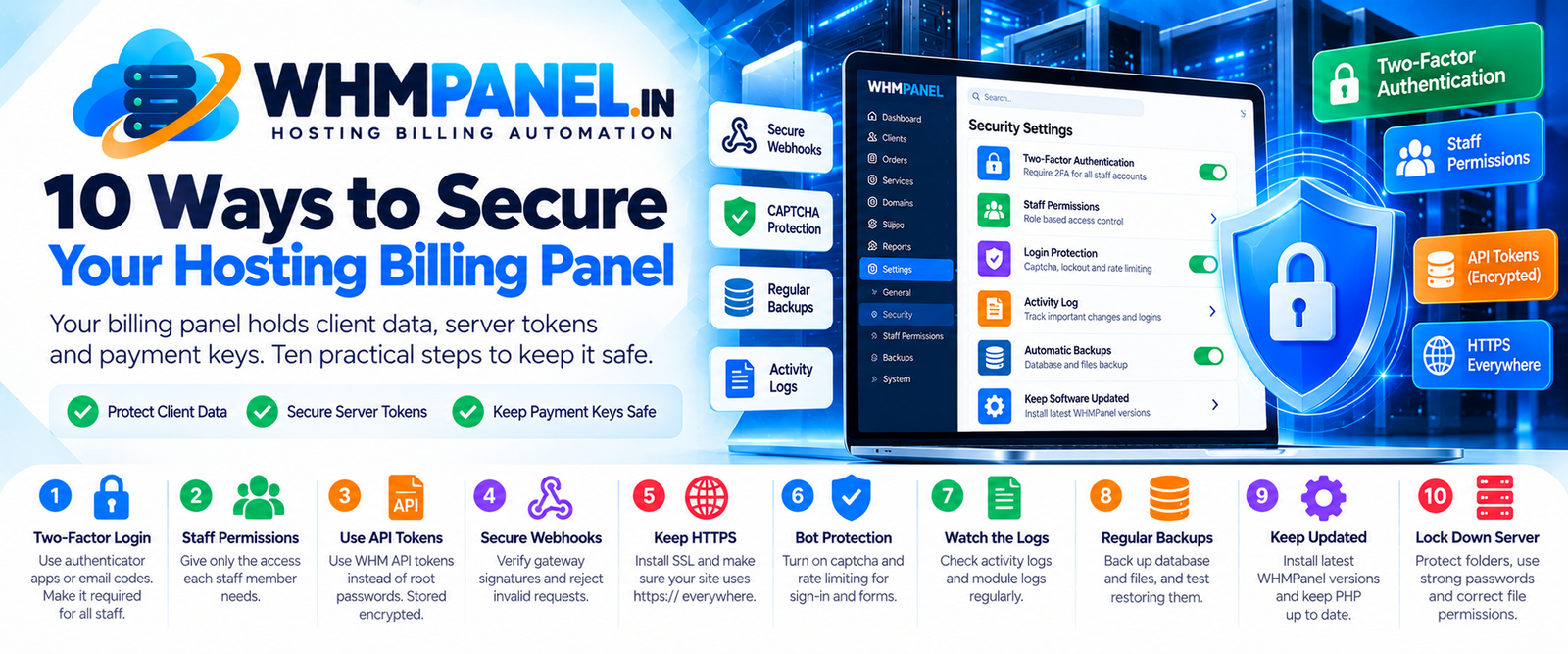
A billing panel is one of the most valuable systems in a hosting business: it can create and delete accounts on your servers, holds payment gateway keys and stores your clients' details. Here are ten practical steps to protect it, and how WHMPanel helps with each.
1. Turn on two-factor login
Passwords leak. WHMPanel supports authenticator apps and email codes, with recovery codes and trusted devices. Under Settings › Security you can make two-factor login required for all staff. Do it today.
2. Give staff only what they need
Support staff do not need refunds or gateway settings. Tick exactly the permissions each role needs under Staff permissions. Settings, integrations and extensions always stay admin-only, and staff can never change admin accounts.
3. Use API tokens, not root passwords
Connect WHM with an API token instead of the root password, and revoke it if a server is retired. WHMPanel stores tokens, gateway secrets and registrar keys encrypted with your application key and never shows them again in forms.
4. Set up webhooks correctly
Webhooks let gateways confirm payments directly. WHMPanel verifies each webhook's signature and refuses anything it cannot verify, so fake "payment successful" requests do nothing. Make sure you paste the webhook secret from each gateway into WHMPanel.
5. Keep HTTPS everywhere
Install an SSL certificate (AutoSSL or Let's Encrypt is enough) and make sure your site address in the settings starts with https://. Payment gateways require it, and so does your clients' trust.
6. Protect forms from bots
Turn on the captcha extension for sign-in, registration, password reset and the contact form. WHMPanel also locks out repeated failed sign-ins and rate-limits sensitive actions.
7. Watch the logs
The Activity log records sign-ins and important changes; the Module log shows every call to WHM, registrars and gateways with secrets removed. A weekly look is often enough to spot something unusual early.
8. Back up — and test the backup
Back up the database and the storage and public/uploads folders every day, and keep copies off the server. Once a month, restore a backup to a test sub-domain. A backup you have never restored is only a hope.
9. Keep the software updated
Install new WHMPanel versions from your client area's Downloads page and keep PHP up to date through cPanel. Updates often include security improvements you get for free.
10. Lock down the server
WHMPanel's .htaccess already blocks access to .env, vendor, storage and other private folders, and the uploads folder cannot run scripts. On your side: use strong cPanel and database passwords, keep file permissions sensible (folders 755, files 644) and do not leave old copies or zip files in public folders.
A five-minute checklist
- Two-factor login required for staff — on.
- Staff permissions reviewed — done.
- Webhook secrets entered for every active gateway — done.
- Daily off-server backups — running.
- Latest WHMPanel version — installed.

0 comments