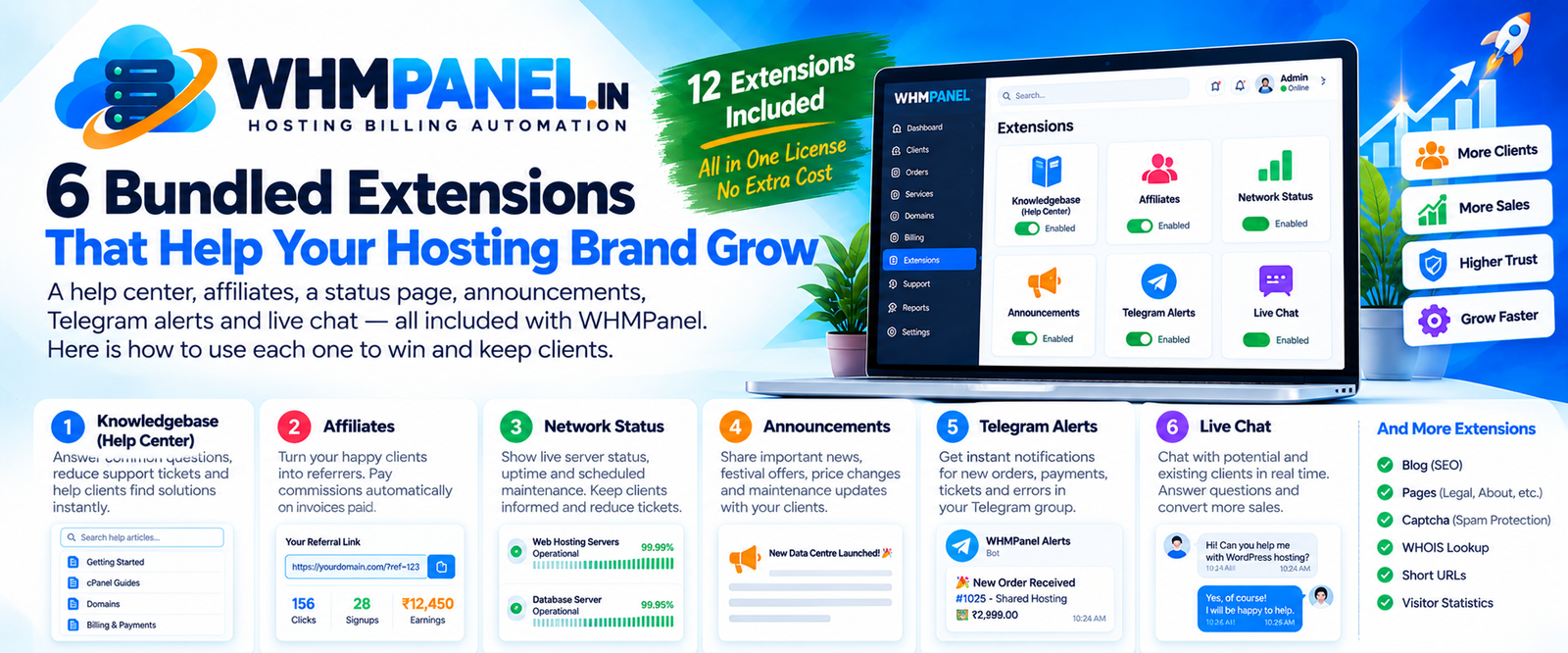
Billing and automation keep a hosting business running. Growth comes from trust, word of mouth and fast answers. WHMPanel includes twelve extensions at no extra cost; here are six that make the biggest difference, and how to use them.
1. Knowledgebase (help center)
Every question answered in an article is a ticket you never have to write again. The help center has categories, search and "was this helpful?" votes, so you can see which articles work. The best part: while a client types a ticket subject, matching articles appear right below it — many clients find the answer and never submit the ticket.
Start with: how to log in to cPanel, set up email on a phone, point a domain, upload a website, and pay an invoice.
2. Affiliates
Happy clients are your best salespeople. With the affiliate program they get a referral link, and you pay a commission (a percentage or a fixed amount) on invoices paid by the clients they bring. Commissions are held for a period you choose and are reversed automatically if an invoice is refunded, so you are protected against abuse. Affiliates request payouts from their client area and you approve them in one click.
3. Network status
When something breaks, a public status page turns a flood of tickets into a few. WHMPanel checks your servers automatically over HTTP or TCP, shows 90-day uptime bars, and lets you post incidents and scheduled maintenance with updates. Clients also see a banner in their client area while an incident is open.
4. Announcements
New data centre, price changes, holiday support hours, a festival offer — announcements put the news on your website and the client dashboard, and can email all clients for important ones. Schedule them in advance and pin the ones that matter.
5. Telegram alerts
Know about new orders, payments, tickets and failed provisioning the moment they happen, in a Telegram group with your team. It is the quickest way for a small team to respond fast — and fast first replies are what clients remember.
6. Live chat
Many visitors have one small question before buying: "Can you move my WordPress site?" A chat bubble on your website lets them ask, and your staff reply from the admin panel. A quick answer at the right moment often decides the sale.
And the rest
The blog and pages extensions help with SEO and your legal pages, captcha keeps spam out of your forms, WHOIS lookup brings domain shoppers to your site, short URLs make links easy to share, and visitors shows which pages people read.
Switch features on and off
Every extension can be installed, disabled (keeping its data) or removed from System › Extension manager, and most have sub-features you can toggle. Start with the help center and Telegram alerts, then add the others as you grow.
0 comments