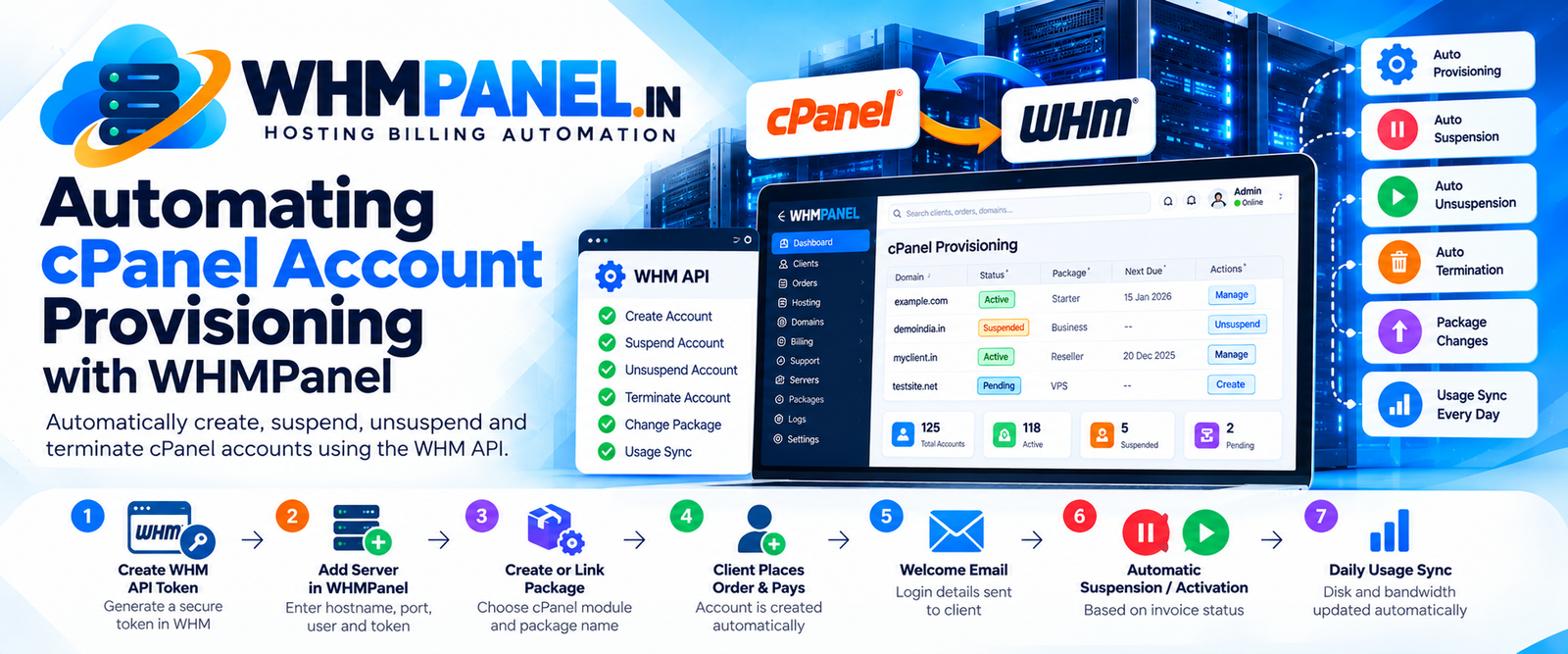
Creating hosting accounts by hand is fine for your first five clients. By the fiftieth, it is a full-time job — and every manual step is a chance for a typo or a forgotten suspension. WHMPanel automates the whole life of a cPanel account through the WHM API.
What happens automatically
| Event | What WHMPanel does |
|---|---|
| First invoice paid | Creates the cPanel account with the plan's package, a secure password and the client's domain, then emails the login details. |
| Invoice overdue | Suspends the account after the number of days you choose, with the reason recorded. |
| Overdue invoice paid | Unsuspends the account straight away. |
| Unpaid for longer | Optionally terminates the account (off by default). |
| Plan upgraded | Changes the package on the server. |
| Every day | Updates disk and bandwidth usage so clients and staff see it. |
Clients can also open cPanel with one click from their client area (single sign-on) and change their cPanel password without contacting you.
Step 1: create an API token in WHM
Sign in to WHM and open Development › Manage API Tokens. Create a token for root (or for your reseller user) and copy it. Tokens are safer than passwords: you can revoke them at any time, and they never expire on their own unless you set an expiry.
Step 2: add the server in WHMPanel
Go to Catalog › Servers › Add server. Enter the hostname, port 2087, the user and the token, plus the nameservers your clients should use. Press Test connection — WHMPanel shows the cPanel version when it works. The token is stored encrypted and never shown again.
Have more than one server? Put them in a server group. New accounts go to the server with the most room, or you can choose "fill one first".
Step 3: create or link a package
On each hosting product, choose the cPanel module and enter the WHM package name. If the package does not exist yet, fill in the limits (disk, bandwidth, email accounts, databases, addon domains) and press Save package to server. WHMPanel creates or updates the package for you.
Step 4: reseller plans
For reseller hosting, switch on "Create as a reseller account" and set the ACL list and limits. WHMPanel sets up the reseller and applies the limits as soon as the account is created.
When something goes wrong
Every call to WHM is written to the Module log with passwords and tokens removed, so you can see exactly what the server replied. If a creation fails — a package name typo, a full server, a firewall rule — the error is shown on the service and on your dashboard under Needs attention. Fix the cause and press Create again.
Not using cPanel for everything?
VPS and dedicated servers can use the Custom HTTP module, which sends signed JSON requests to your own panel's API, or the Manual module, which creates a staff task instead. Billing, reminders and suspensions work the same way for all of them.
0 comments